Brainstorm
Brainstorm is a collaborative, open-source application dedicated to the analysis of brain recordings, including MEG, EEG, fNIRS, ECoG, depth electrodes, and multiunit electrophysiology.
This guide provides a simple workflow for importing and visualizing your Mentalab Explore recordings in Brainstorm.
Prerequisites
Before starting, ensure you have:
-
Brainstorm installed on your system
-
Mentalab Explore Desktop for recording
Step-by-Step Process
1. Record using Mentalab Explore Desktop
Record your EEG data using Mentalab Explore Desktop and save it in BDF format for Brainstorm compatibility.
If you have recordings in other formats, you can convert them to BDF using
Explore Signals.
2. Set Up Brainstorm
Follow the Brainstorm installation guide to install and configure Brainstorm on your system.
3. Import Mentalab Data into Brainstorm
-
Create a New Protocol:
-
Launch Brainstorm
-
Go to
File > New protocol -
Enter a protocol name, for example
Mentalab_EEG_Study
-
-
Add a Subject:
-
Right-click on your protocol in the database explorer
-
Select
New subject -
Enter subject name and identifier
-
-
Import BDF Data:
-
Right-click on the session node
-
Select
Import MEG/EEG -
Select your BDF recording file
-
Brainstorm will automatically detect channel information and events
-
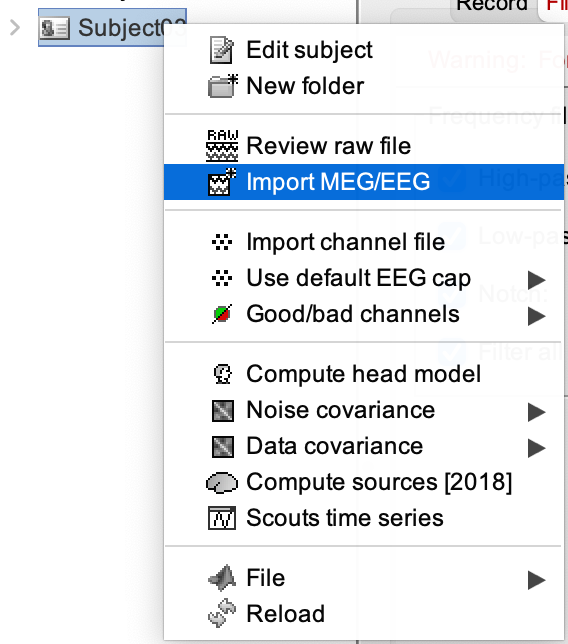
Brainstorm bdf file import dialog.
Resources
For more information or support, contact support@mentalab.com.