Impedance
To measure the impedances of your Mentalab Explore electrodes, navigate to the Impedance Measurement page.
Select the type of electrodes you are using from the drop-down menu. Then click Measure Impedances.
For wet electrodes, channel impedances are displayed with their value and the corresponding color code shown in the table below.
For dry electrodes, good impedance values are:
-
less than
100 kΩfor flat electrodes placed on bare skin -
less than
300 kΩfor brush electrodes placed on hair
See the guidelines on improving impedances for more information.
| Color | Range for wet electrodes |
|---|---|
Green |
|
Yellow |
|
Orange |
|
Red |
|
Dark gray |
|
Light gray |
Inactive channel / device not connected |
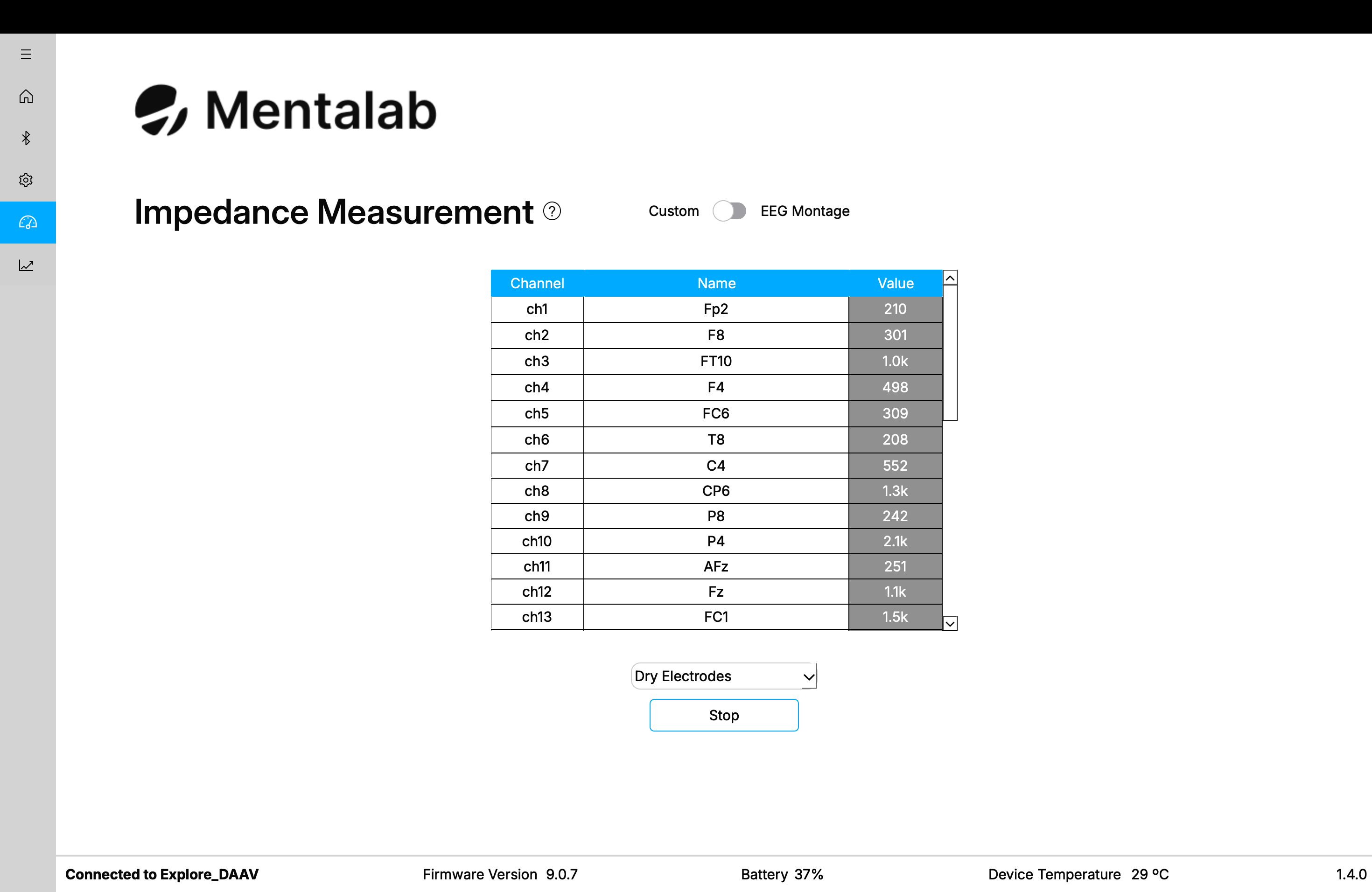
Visualize impedance values in a scrollable list.
You can also visualize impedances on an EEG montage.
To use the EEG montage view, make sure that all channels have a name corresponding to a standardized location from the drop-down menu on the Settings page. Then switch to the Impedance Measurement page and click the toggle button in the top-right corner to switch to EEG view.
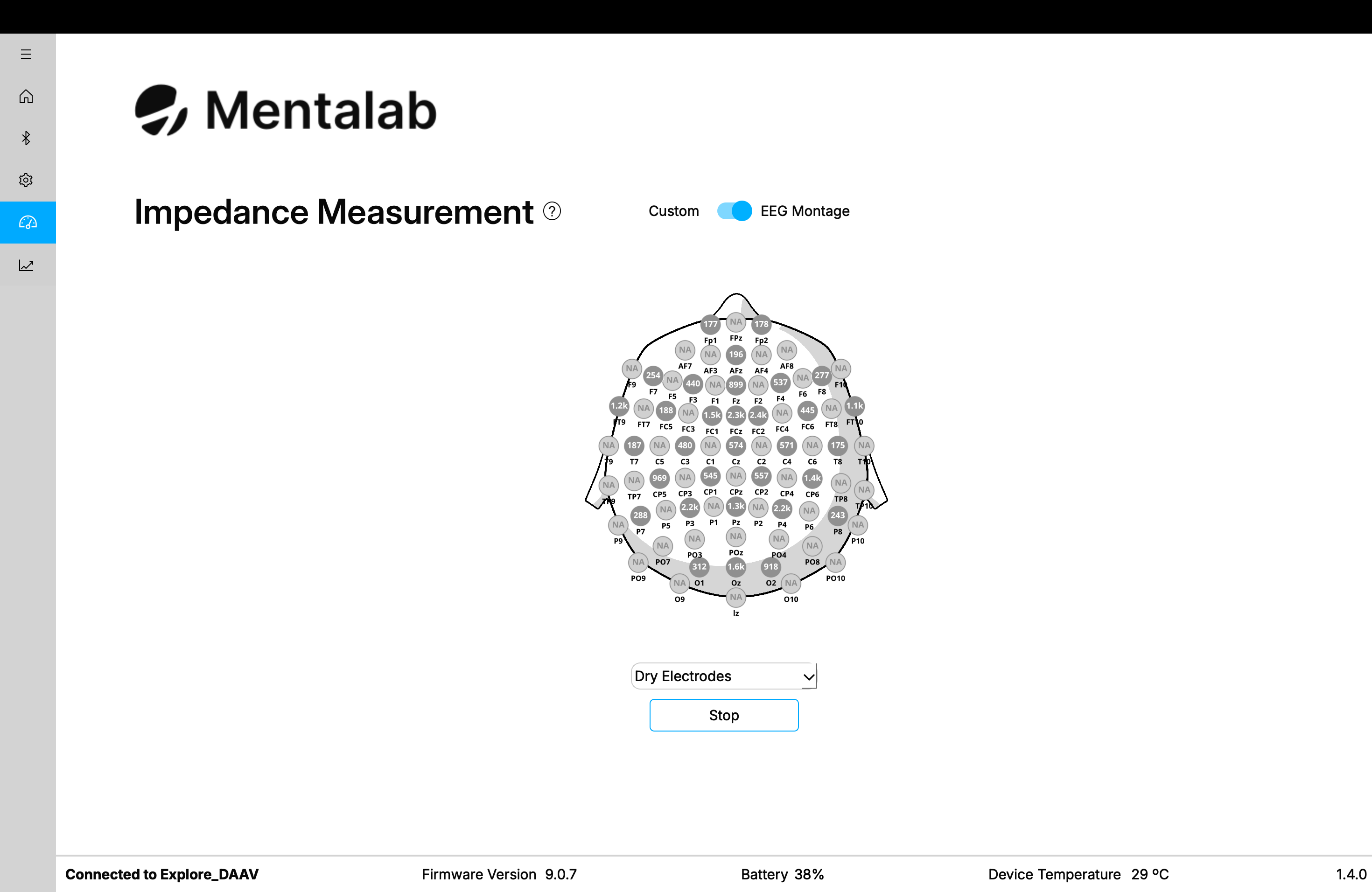
Visualize impedance values on an EEG montage.
Impedance values depend on the impedance of the reference electrode. The value shown for each electrode is the average of the ground and ExG electrodes' impedances.
If all channel impedances are high, try cleaning the skin under the reference electrode more thoroughly, for example using alcohol, abrasive gel, or EEG gel.
Impedance values are subject to environmental conditions such as noise and temperature. Aim for regular room temperatures of approximately 15-25 °C.
|
For more information or support, contact support@mentalab.com.