EEGLAB
This guide shows how to convert Mentalab Explore CSV, BDF, and BIN files into an EEGLAB dataset using
Explore Desktop.
Start Explore Desktop and do not connect to a device.
From the top menu, select File > Export > EEGLAB Dataset.
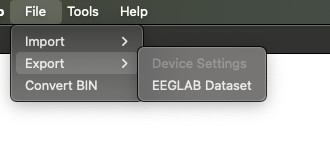
EEGLAB Dataset export.
After this, select the folder with the ExG data to be converted.
A new datasets folder will be generated in the selected folder, containing the EEGLAB datasets.
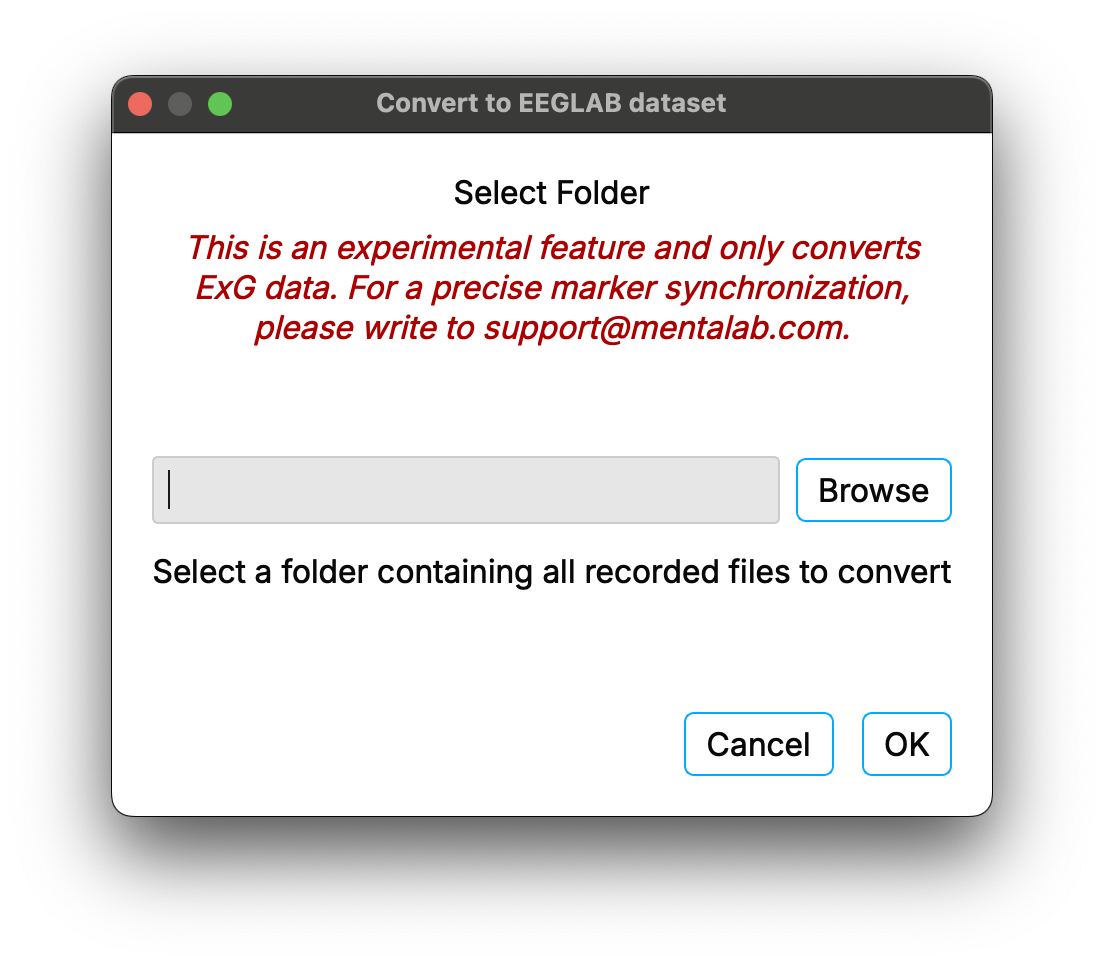
Select destination folder.
In EEGLAB, select the dataset from File > Load existing dataset.
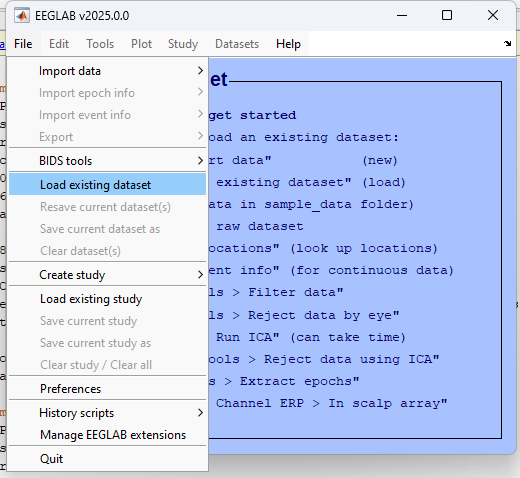
EEGLAB dataset import.
You can now process your data.
Click on Plot > Channel data (Scroll) to inspect your recording.
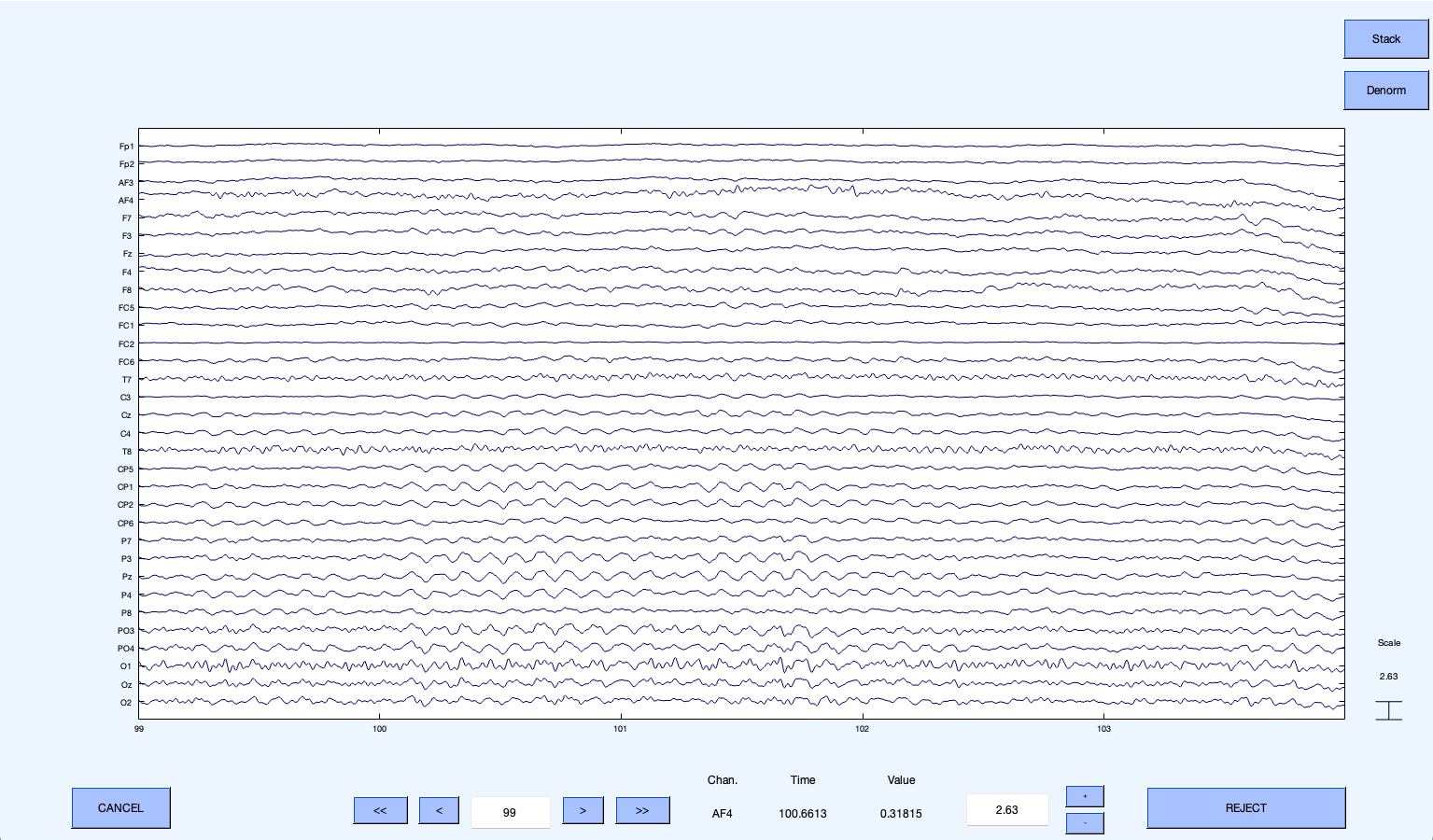
EEGLAB dataset inspection.
For more information or support, contact support@mentalab.com.